How is 007 First Light on PS5 Slim: Best Graphics Mode, Performance vs Quality and Settings Guide
Recently, I haven’t bought many new single-player story games for my PS5. The last one for me was Death Stranding 2, mainly because I have been spending a lot of time playing Arc Raiders.
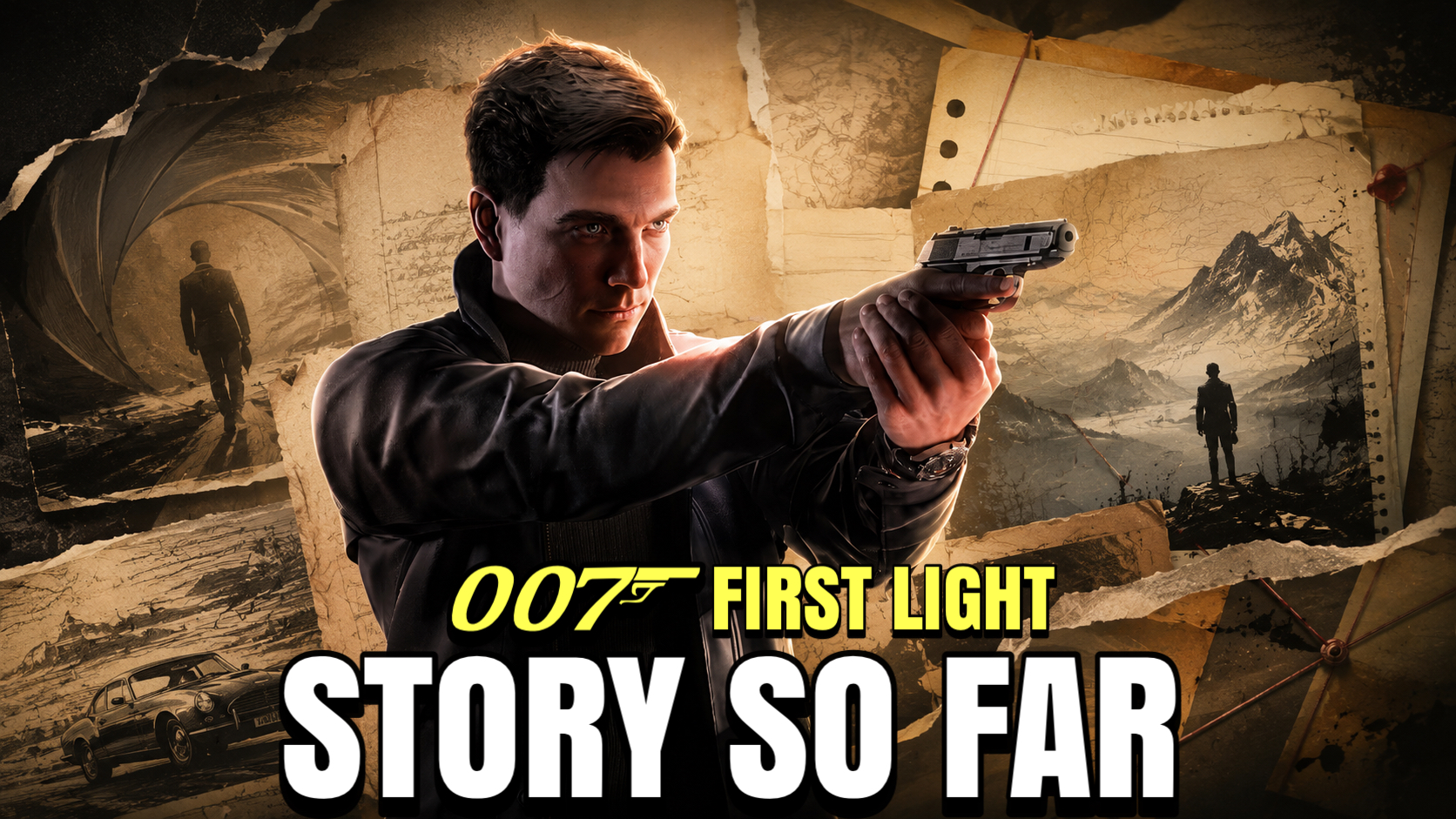
But 007 First Light was one of those games that instantly caught my attention the moment it was revealed.
I picked up the physical copy for my PS5 Slim on launch day, and after playing it for the past couple of days, I wanted to share my experience with the game, especially for players who are starting on a base PS5 or PS5 Slim.
This is not a technical breakdown with frame graphs, pixel counting, or deep benchmark analysis. This guide is based on how the game actually feels during normal gameplay on a PS5 Slim setup, tested on a 42-inch LG C4 OLED TV.
If you are starting 007 First Light and wondering whether to play in Performance Mode or Quality Mode, here is my honest experience after testing both.
Quick Answer
Performance Mode is the best graphics mode for 007 First Light on PS5 Slim. It provides a smoother 60 FPS experience, which makes combat, stealth, aiming, movement, and driving feel more responsive than Quality Mode.
Quality Mode looks sharper and more cinematic, especially during cutscenes and close-up character moments, but the 30 FPS gameplay makes action sequences feel heavier and less responsive.
Key Takeaways
- Best graphics mode: Performance Mode
- Performance Mode prioritises smoother 60 FPS gameplay
- Quality Mode offers sharper visuals at 30 FPS
- Motion blur should be turned off
- Camera acceleration should be turned off
- Sensitivity settings make a big difference
- The beginning of the game is slow, but it improves after the first 1 to 1.5 hours
- 007 First Light is enjoyable on PS5 Slim, but some driving and gunfight sections could be more polished
My Testing Setup
I tested 007 First Light using the following setup:
Console: PS5 Slim
Display: 42-inch LG C4 OLED
Graphics modes tested: Performance Mode and Quality Mode
Focus: Real gameplay feel instead of technical benchmarking
This guide is based on actual play sessions, not just menu comparisons or cutscene impressions.
Performance Mode vs Quality Mode
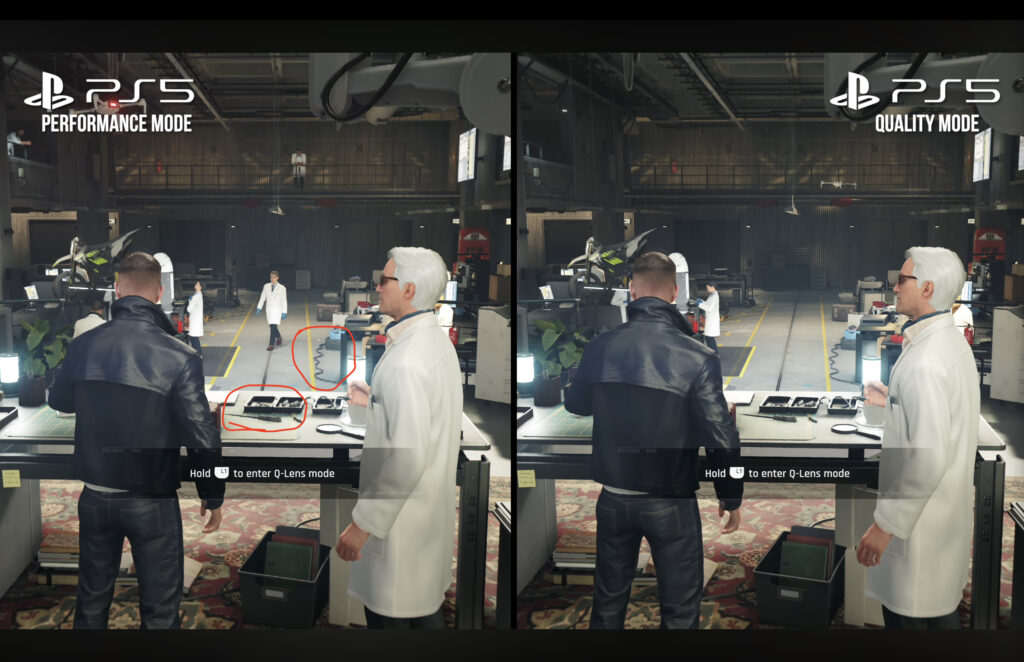
Before deciding which mode is better, it is important to understand the difference between the two options.
Performance Mode
Performance Mode runs at 60 FPS and uses a lower internal resolution with FSR-style upscaling to improve the final image.
On paper, the resolution may sound low, but in actual gameplay it looks better than you might expect. The image is not as sharp as Quality Mode, but the smoother frame rate makes a bigger difference during combat, camera movement, stealth sections, and aiming.
This is the mode I recommend for most players.
Quality Mode
Quality Mode runs at 30 FPS and targets a higher resolution, giving the game a cleaner and sharper image.
This mode looks better during cinematic scenes, close-up character shots, and slower story moments. Lighting, reflections, and overall image clarity are stronger in Quality Mode.
However, once gameplay begins, the lower frame rate becomes noticeable. Fast camera movement, aiming, combat, and movement feel heavier compared to Performance Mode.
Which Graphics Mode Should You Choose?
After testing both modes, I think Performance Mode is the best way to play 007 First Light on PS5 Slim.
Quality Mode definitely looks cleaner, but this is a game with stealth, shooting, driving, movement, and gadget-based action. Because of that, responsiveness matters more than extra image sharpness.
The smoother 60 FPS experience in Performance Mode makes the game feel much better overall.
If you mostly care about visuals and want the most cinematic image possible, Quality Mode is still a valid option. But for actual gameplay, Performance Mode is the better choice.
Gameplay Feel and Controls
When I first started playing 007 First Light, the game felt slightly slow and heavy.
This was especially noticeable because I had recently been playing faster-paced games like Arc Raiders. Coming from that kind of gameplay, the combat, aiming, and camera movement in 007 First Light initially felt like they were not fully matching my muscle memory.
The good news is that the game feels much better after changing a few settings.
Performance Mode already helps by making gameplay smoother, but sensitivity adjustments made the biggest difference for me. Once I adjusted the camera and aim settings, movement felt more natural, aiming felt better, and camera panning became cleaner.
If the game feels slow or delayed when you first start, do not judge it too quickly. Try adjusting the settings first.
Recommended Settings
These are the settings I recommend changing immediately:
Motion Blur: Off
Camera Acceleration: Off
Horizontal Sensitivity: Increase to preference
Vertical Sensitivity: Increase to preference
Aim Sensitivity: Adjust until aiming feels more responsive
Turning off motion blur made the image feel cleaner during movement. I personally do not like heavy motion blur in games, and in 007 First Light, disabling it made the gameplay easier to follow.
Turning off camera acceleration also helped the controls feel more consistent.
The sensitivity settings will depend on your preference, but I recommend increasing them from the default if the game feels too slow.
Why These Settings Matter
007 First Light is not just a slow cinematic game. It includes stealth, gunplay, driving, movement, gadgets, and quick action moments.
Because of that, the game benefits from more responsive controls.
With the default settings, the gameplay can feel slightly heavy. But after turning off motion blur, disabling camera acceleration, and increasing sensitivity, the game feels much smoother and more enjoyable to play.
The Beginning Is Slow
One important thing to know before starting 007 First Light is that the beginning of the game is slow.
The first hour to hour and a half focuses heavily on training, tutorials, and story setup. You slowly learn combat, stealth, movement, gadgets, and the basics of becoming 007.
This makes sense because First Light is an origin story. This is not peak James Bond yet. The game is showing how Bond becomes Bond and how the 00 agents are trained and formed.
Some players may find the opening slower than expected, especially if they are waiting for full Bond-style action right away.
The Game Gets Better After It Opens Up
Once the first real mission begins and the gadgets start opening up properly, 007 First Light becomes much more exciting.
The pacing gets faster, the action improves, missions become more cinematic, and the gadget gameplay becomes more fun.
This is the point where the game started to feel like I was playing through an actual Bond movie.
If the beginning feels slow, I recommend giving the game more time before judging it fully.
Visual Experience on PS5 Slim
Visually, I think the developers did a good job with the base PS5 and PS5 Slim version overall.
Playing on a 42-inch LG C4 OLED, the game looks good. The lighting, reflections, environments, and cinematic moments all help create a strong Bond atmosphere.
However, I also want to be honest. Games like Death Stranding 2 and Arc Raiders have set a very high visual standard for me when it comes to what the PS5 Slim is still capable of.
007 First Light looks great, but it did not give me the same immediate visual “wow” feeling that I had when I first played Death Stranding 2.
That does not mean the game looks bad. It simply means the visual presentation is strong, but not always at the same level as the best-looking recent games on PS5.
Things That Could Be Better
There are a few areas where I think 007 First Light could improve.
The driving sections feel more assisted than I expected. I wish there was more freedom with driving, because at times it feels like the game is guiding you forward to keep the story moving quickly.
Some gunfight sections could also feel more polished.
These are not major problems, but they are noticeable. Considering this is the first modern 007 game from the team, I still think the foundation is very strong.
Once the missions, stealth sections, gadgets, and cinematic action moments come together, the game becomes a genuinely fun Bond experience.
Final Verdict
007 First Light is a strong and enjoyable James Bond experience on PS5 Slim.
It starts slowly, but once the game opens up, the missions become more cinematic, the gadgets become more useful, and the gameplay becomes much more exciting.
For a base PS5 or PS5 Slim player, I recommend playing in Performance Mode. The smoother frame rate makes combat, aiming, stealth, driving, and movement feel much better than Quality Mode.
Quality Mode is sharper, but Performance Mode gives the better overall gameplay experience.
Final Recommendation
Best graphics mode: Performance Mode
Best settings change: Turn off motion blur and camera acceleration
Best experience: After the first 1 to 1.5 hours
Recommended for PS5 Slim players: Yes
If you are starting 007 First Light on PS5 or PS5 Slim, play in Performance Mode first, adjust your camera and aim sensitivity early, and give the game enough time to move past the slower opening section.
Watch the Full Video
If you want to see how 007 First Light looks and plays on PS5 Slim, including Performance Mode, Quality Mode, gameplay footage, and my full experience on the LG C4 OLED, you can watch my full video below.