How Does Red Dead Redemption Run on iPhone & iPad? Real Gameplay Experience
CLICK HERE: TO WATCH FULL GAMEPLAY VIDEO TEST
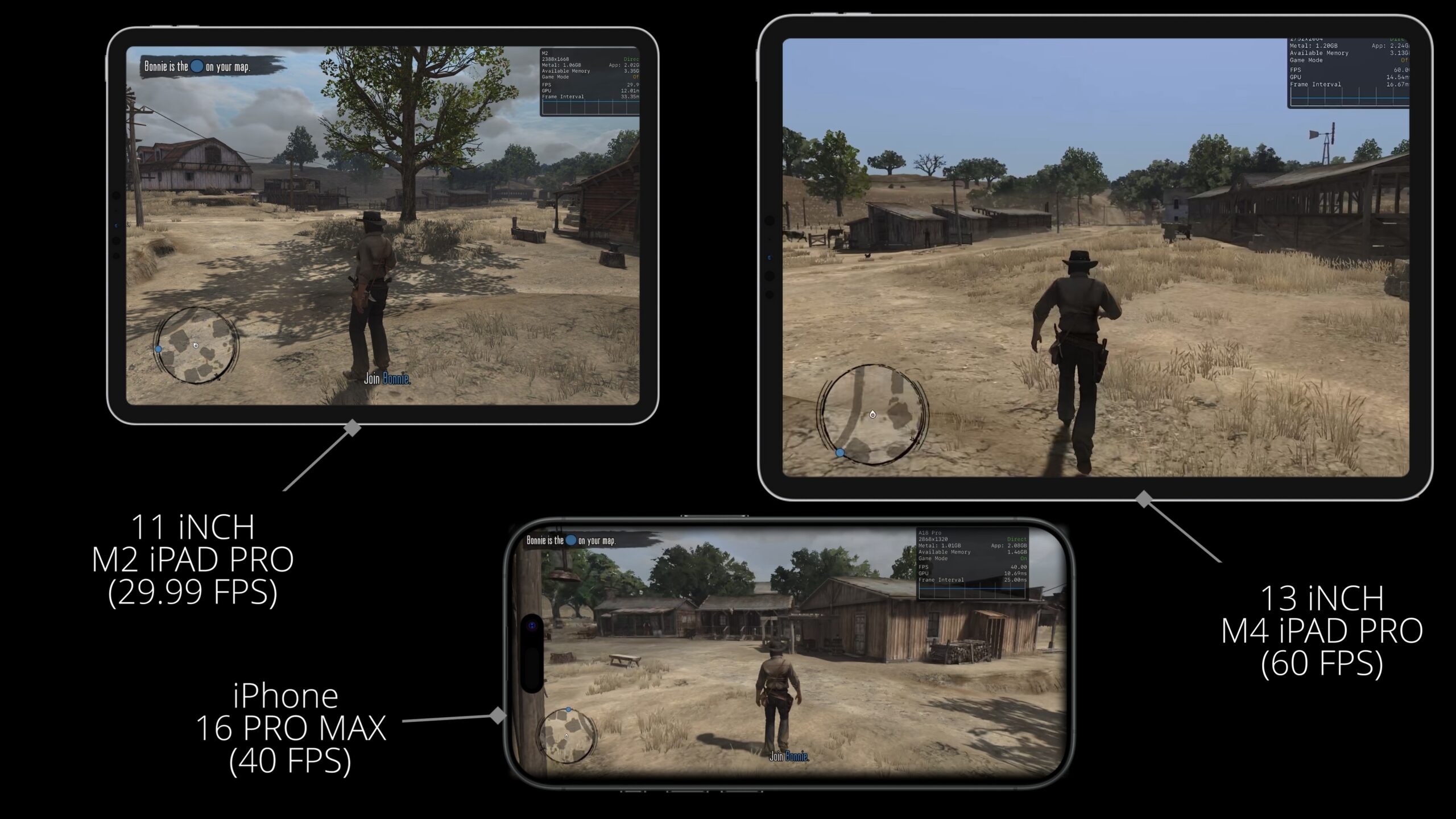
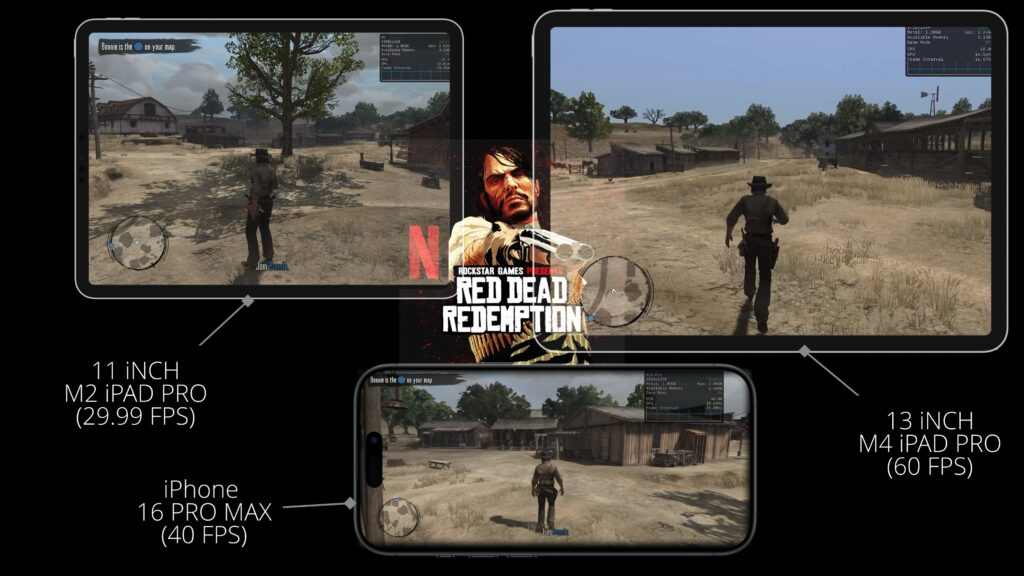
Recently, I finished playing Red Dead Redemption on Nintendo Switch 2, which made me curious about how the iOS version compares. Since I own an iPhone 16 Pro Max, a 13-inch M4 iPad Pro, and an 11-inch M2 iPad Pro, I decided to test the game across all three devices to see how it performs in real gameplay.
This isn’t a technical benchmark or a frame-by-frame performance analysis. If you’re looking for detailed resolution breakdowns, frame pacing, and technical benchmarks, I highly recommend checking out MrMacRight’s excellent coverage of the game.
Instead, this guide focuses on what most players actually want to know, how Red Dead Redemption feels to play on iPhone and iPad, which device offers the best experience, and whether it’s worth picking up on iOS.
Quick Answer
Red Dead Redemption runs surprisingly well on modern Apple devices, but the experience varies depending on the hardware. The iPhone 16 Pro Max delivers a smooth experience in Performance Mode at 40 FPS, while the M4 iPad Pro offers the best overall experience with a stable 60 FPS. The M2 iPad Pro is locked to 30 FPS but still performs better than expected, making it another excellent option for players who prefer a larger display.
Key Takeaways
- M4 iPad Pro offers the best overall experience.
- iPhone 16 Pro Max supports both Performance and Fidelity modes.
- Performance Mode on iPhone runs at 40 FPS.
- M4 iPad Pro runs Performance Mode at 60 FPS.
- M2 iPad Pro is limited to 30 FPS but remains smooth.
- Full controller support is available.
- Motion feels significantly better when using a controller.
iPhone 16 Pro Max Performance
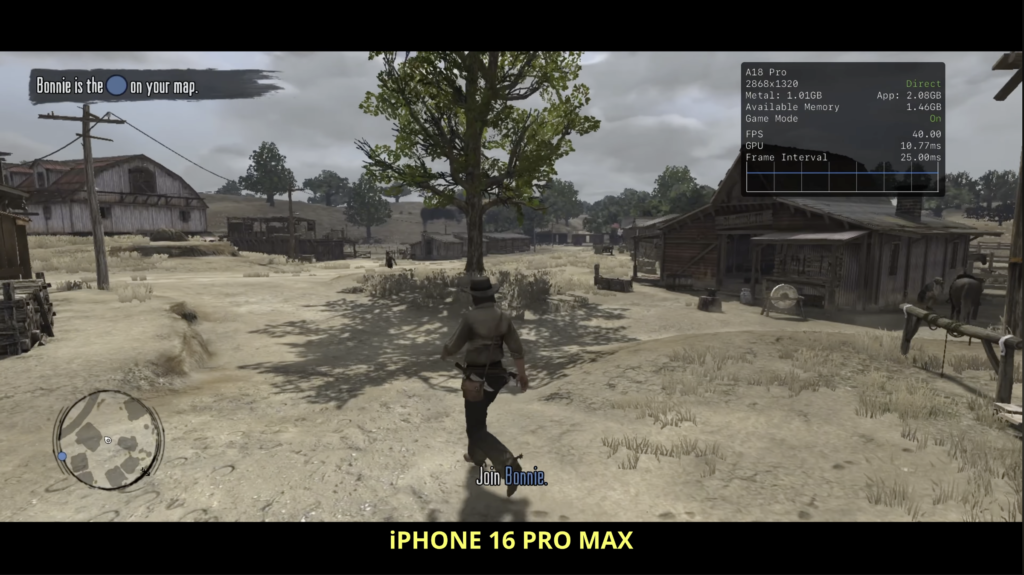
The iPhone version looks good, but don’t expect it to match the image quality of the Nintendo Switch 2 version. Rockstar uses aggressive image reconstruction on iOS, making some textures and distant scenery appear softer than you might expect.
Despite that, the game still looks impressive considering it is running on a smartphone.
One advantage of newer Pro iPhones is the ability to choose between Performance Mode and Fidelity Mode. This option is only available on iPhone 15 Pro models and newer.
Performance Mode targets 40 FPS and, in my experience, feels surprisingly smooth. For a slower-paced game like Red Dead Redemption, the difference between 40 FPS and 60 FPS isn’t nearly as noticeable as it would be in a competitive shooter.
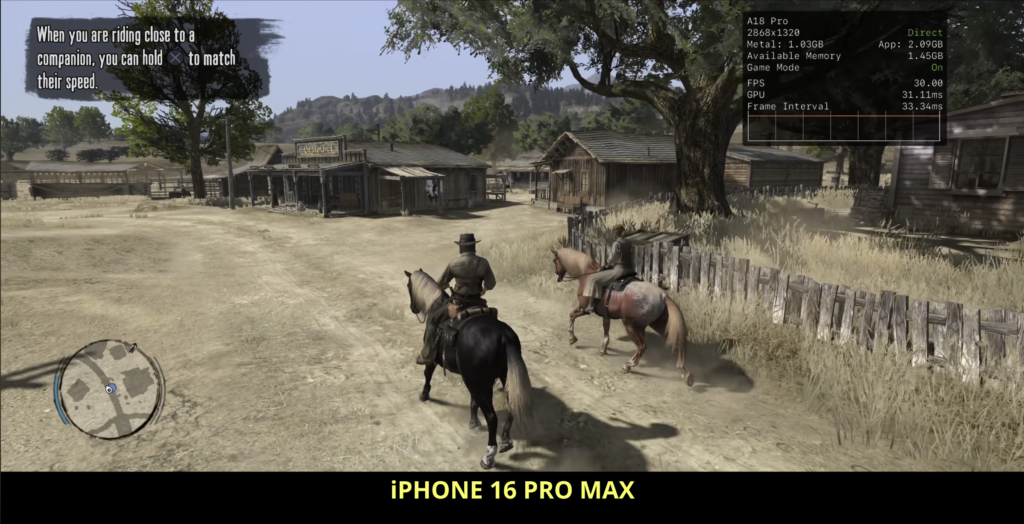
Fidelity Mode increases visual quality but drops gameplay to 30 FPS. Personally, I preferred Performance Mode because the smoother gameplay outweighed the extra visual detail.
One thing worth mentioning is heat. During longer play sessions, especially in the Australian summer, the iPhone becomes noticeably warm. If you plan on playing for extended periods, a mobile cooling accessory is worth considering.
Touch Controls and Controller Support
Touch controls are serviceable, but Red Dead Redemption was clearly designed around a controller.
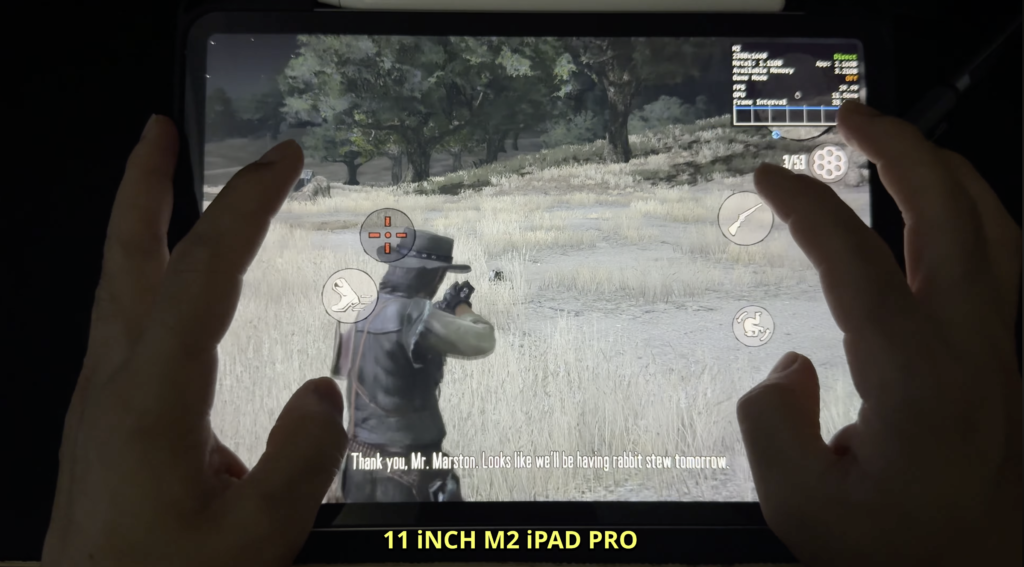
If you’ve spent years playing mobile shooters like PUBG Mobile or Apex Legends Mobile, you’ll adapt fairly quickly, especially since the control layout can be customised to suit your playstyle, including claw layouts.
Fortunately, the game also supports external controllers. I tested it using a DualSense controller, and everything worked as expected. The only feature missing is haptic feedback.
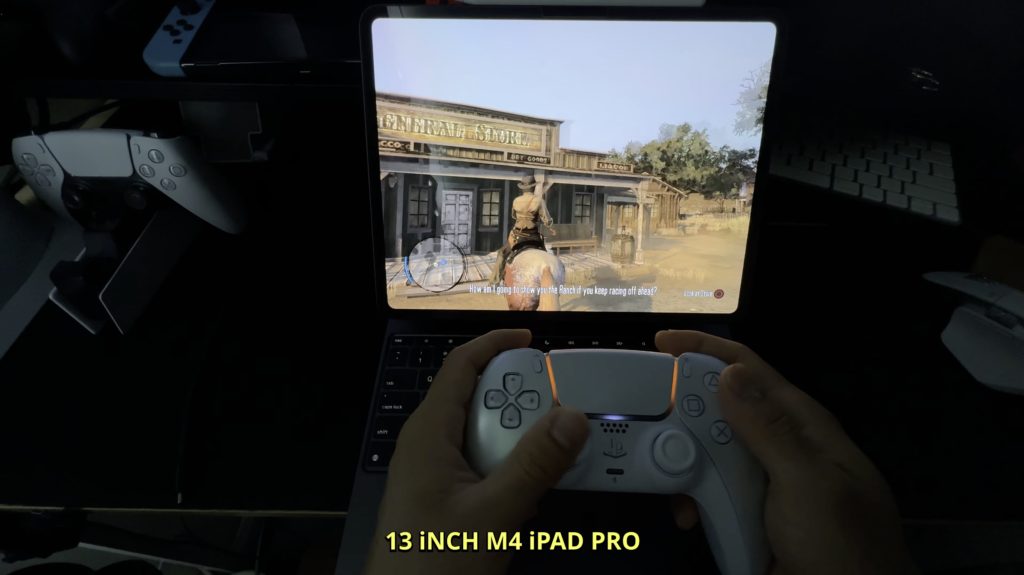
For most players, using a controller is easily the best way to experience the game.
M4 iPad Pro Experience
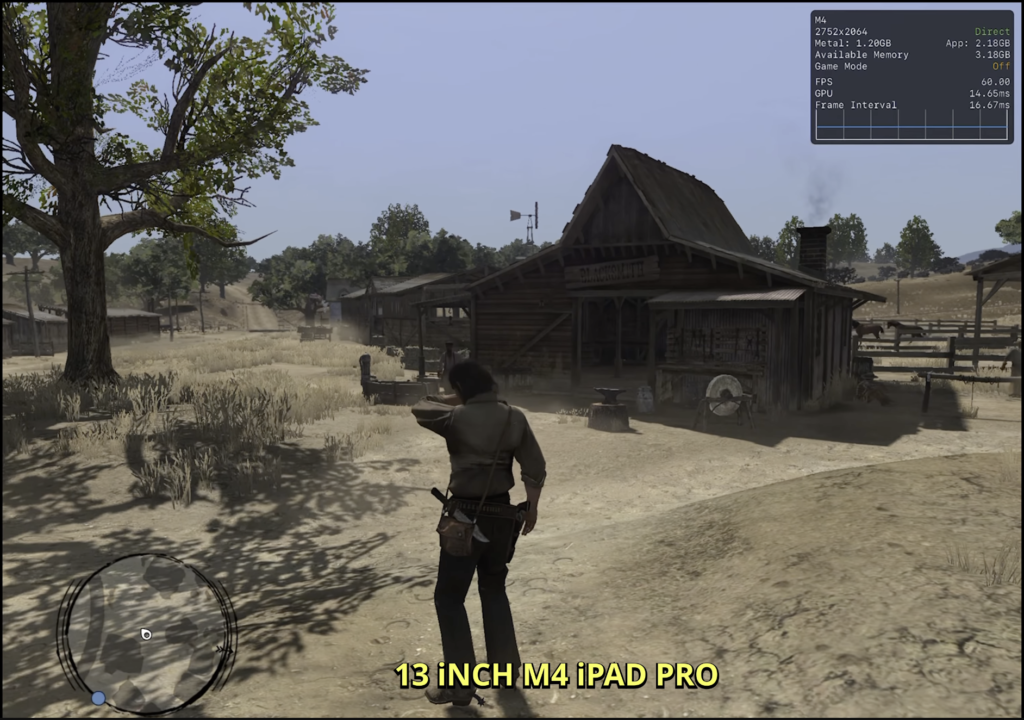
The biggest improvement comes when moving to the M4 iPad Pro.
The larger display immediately makes the game feel more immersive, and Performance Mode running at a stable 60 FPS transforms the experience.
Combined with a controller, this feels remarkably close to playing on a console. Gameplay is smooth, loading is fast, and I experienced no noticeable stutters throughout my testing.
Out of all the devices I tested, this is comfortably my favourite way to play Red Dead Redemption on iOS.
M2 iPad Pro Performance
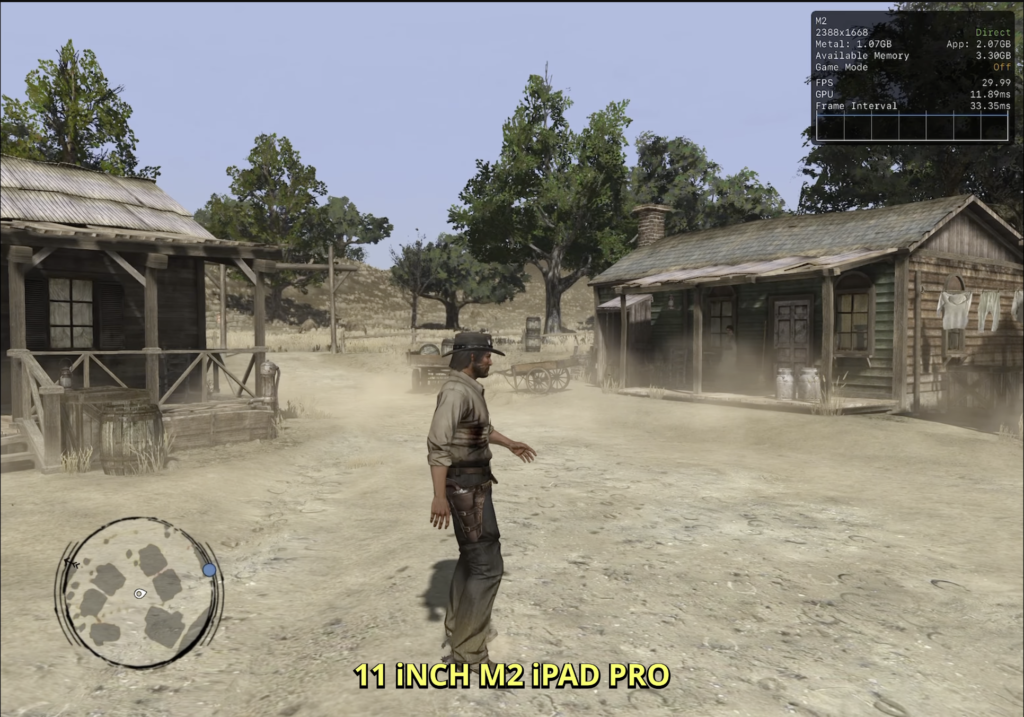
The M2 iPad Pro was the biggest surprise.
Unlike the M4 model, it doesn’t include Performance and Fidelity options and remains locked at approximately 30 FPS.
Despite that limitation, gameplay actually feels smoother than the iPhone running at 30 FPS. The lower frame times help create a more consistent experience than I initially expected.
Based on how well the M2 performs, I genuinely think a 40 FPS mode could have been achievable on this hardware.
Is Red Dead Redemption Worth Playing on iPhone and iPad?
Absolutely.
If your only option is an iPhone, you’ll still have a great experience, particularly if you own an iPhone 15 Pro or newer. Just be aware that longer sessions can generate noticeable heat.
If you own a recent iPad, especially an M4 iPad Pro, the experience improves dramatically. Pair it with a controller and it becomes one of the best ways to enjoy Red Dead Redemption outside of a traditional console.
Final Verdict
Red Dead Redemption has been brought to iOS far better than I expected.
While the iPhone version delivers solid performance, the M4 iPad Pro truly stands out thanks to its stable 60 FPS performance and larger display. The M2 iPad Pro also performs impressively despite being limited to 30 FPS.
If you’re deciding which Apple device offers the best experience, my recommendation is simple:
- Best overall: M4 iPad Pro
- Best phone experience: iPhone 16 Pro Max in Performance Mode
- Best value if you already own one: M2 iPad Pro
Regardless of which supported device you play on, Red Dead Redemption remains an excellent game that’s well worth experiencing on iOS.
Watch the Full Video
If you’d like to see the gameplay running on each device, compare the graphics modes, and watch the performance in action, you can watch my full YouTube video below.